
LiftGuard · Lift & Floor Access Control

Floor-by-Floor Biometric Elevator Access

Verified in the cabin, controlled from one dashboard. LiftGuard pairs biometric cabin readers with ZKTeco elevator controllers so only the floors a person is authorised for ever respond to the touch.
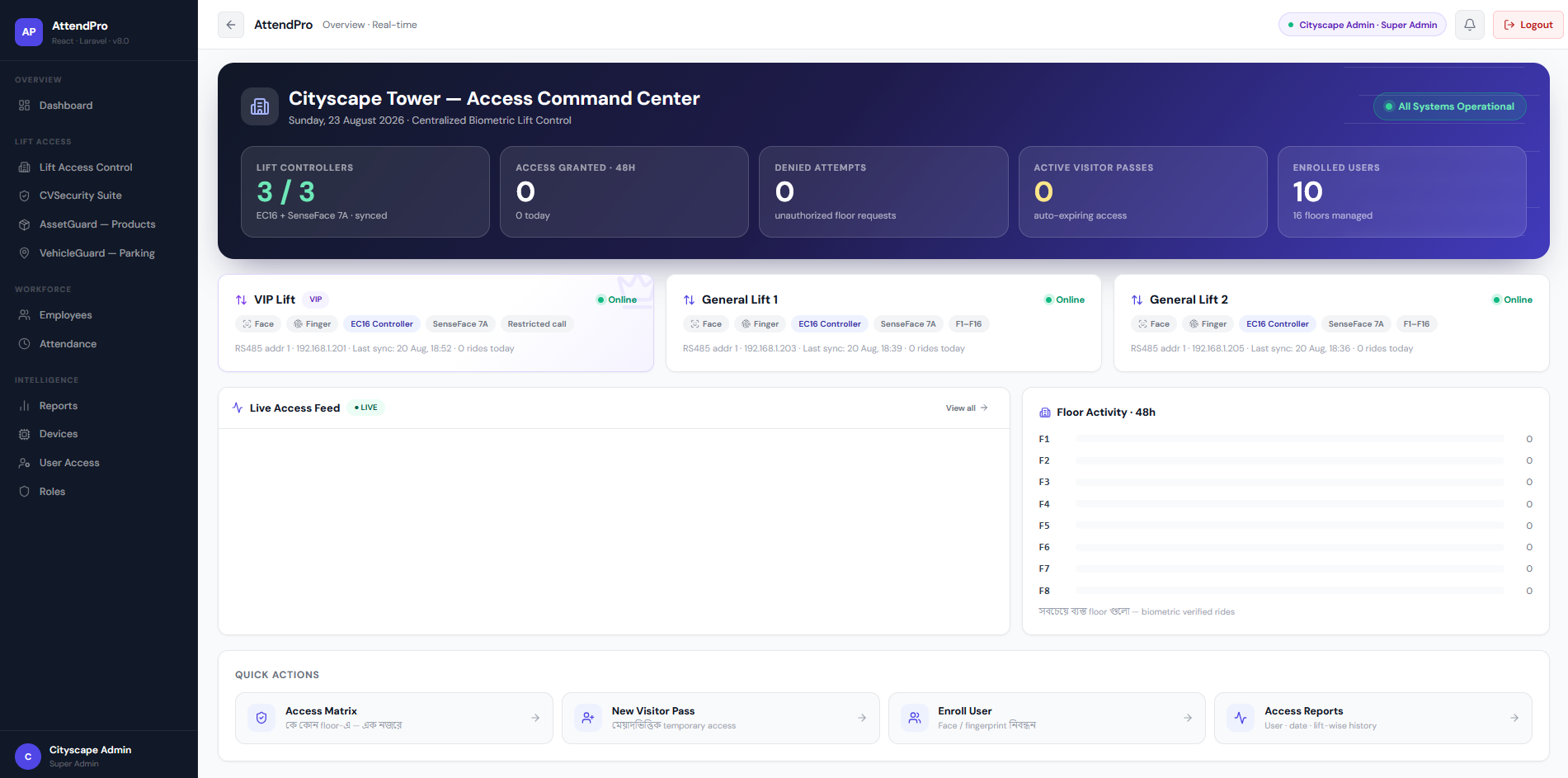
LiftGuard Dashboard — Cityscape Tower Access Command Center
Architecture

How It Fits Together

Two layers of hardware in the field, enforced and reported on by one layer of software.

01

Biometric Hardware

ZKTeco SpeedFace-V5L readers inside each lift cabin verify passengers by face, fingerprint, card or dynamic QR — in under a second, without touching a button.

02

Elevator Controllers

ZKTeco EC16 controllers, with DEX16 expansion up to 128 floors per lift, switch each floor button individually. The access decision happens on the device — lifts keep working even if the internet or server goes down.

03

LiftGuard Software

Our web-based command center: users, floor rights, schedules, visitor passes, live monitoring, reports and audit — all in one place, in a Bangla-friendly interface.

Inside the platform

Key Features

Everything you need to decide, verify and audit who reaches which floor.

Floor-Level Access MatrixAssign floors per user, per group or per category; common and restricted floors configured separately.
VIP Lift PolicyRestrict who may call the VIP lift; management and guests follow different rules.
Multi-Factor AuthenticationFace, fingerprint, card, PIN and card+PIN, combinable per user category.
Dynamic QR Visitor PassesTime-limited QR passes with host, floors and validity; auto-expire and instant revoke.
Time Schedules & ExpiryOffice-hours visitors, 24/7 maintenance crews; access that ends by itself.
Fire & Emergency ReleaseA fire signal releases every floor instantly; safety always overrides security.
Live Access FeedSee every ride in real time: who, which lift, which floor, verified how.
Denied-Attempt ReportingEvery unauthorized floor request is logged with time, lift and user evidence.
Offline-Safe OperationAccess tables live inside the controller; events buffer locally and sync on reconnect.
Role-Based Admin PanelsSuper Admin, Building Manager, Security Operator and read-only Auditor each see only their modules.
User Self-Service PortalResidents and staff see their own floors, rotating QR, activity history, and can request visitor passes.
Reports & ExportUser, date, lift and floor-wise history; export to Excel and PDF for audit and management.
Built For

Who It Is Built For

Deployed anywhere in Bangladesh — for any business, any location.

Commercial towers & corporate head offices
Residential apartment buildings
Banks & financial institutions
Hotels & serviced apartments
Hospitals & diagnostic centres
Shopping malls & mixed-use buildings
IT parks & software companies
Universities & private institutions
Government & secure facilities
Any building with shared lifts and restricted floors
Why Us

Why Choose CSL SYSTEMS

Hardware, software, installation and support — from one provider. We supply the ZKTeco controllers and readers, integrate them with our own software so customisation takes days, not vendor roadmaps, coordinate COP wiring with your lift contractor, and stay with you after go-live with local remote and on-site support from Dhaka.

Questions

Frequently Asked Questions

Will the lift stop working if the internet goes down?
No. The user→floor table lives inside the controller. Verification and floor decisions happen on the device; events sync automatically when the connection returns.
What happens during a fire alarm?
The controller has a dedicated fire input. On a fire signal, every floor is released instantly and the lift becomes unrestricted. The system never interferes with fire or evacuation systems.
How many floors can one system control?
Each EC16 controller handles 16 floors and expands with DEX16 boards up to 128 floors per lift — the floor count is configurable, never hard-coded.
Can visitors use the lift without enrolment?
Yes — reception issues a time-limited dynamic QR pass with specific floors. It stops working automatically at expiry.
Do you work with our existing lift company?
Yes. Floor-button connections are done with your lift contractor present and signed off; we never touch the lift’s safety or drive circuits.
Can this integrate with our attendance system?
Yes — LiftGuard runs on the same AttendPro platform as our attendance & payroll ERP, so one enrolment serves both.

Control Every Floor With Confidence

Talk to our team about fitting LiftGuard to your building’s lifts, floor counts and access rules.

+880 1972-277101
info@csldevs.com
IP Phone: 09639-173037
Scroll to Top